Skip to content
play777bd Mobile / Sports
LIVE LOBBY

play777bd — Live Casino, Slots and Sports in One Place

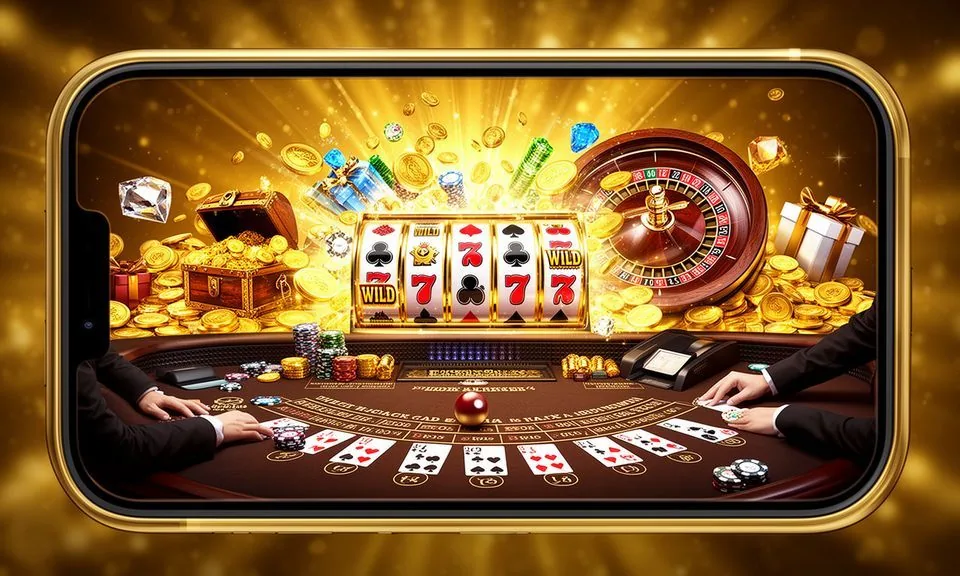
Live dealer tables, fan-favourite slots from Microgaming and CQ9, plus cricket sportsbook markets — all reachable from your phone in a few taps. Your bKash or Upay wallet connects directly to your account, so the path from sign-in to first session is short.

bKash Nagad Rocket
Browse games
CONTENT / 01

Switch Between Live Tables, Slots and Sportsbook

The play777bd lobby organises into three clear areas: the live casino section with dealer-led baccarat, roulette and other table formats; the slots section covering titles from all six of our studios; and the sportsbook where cricket markets — including BPL and international matches The lobby navigation keeps these three areas one tap apart, so moving from a live dealer table to a slot screen or into the sportsbook takes a single switch rather than a separate search. Each section remembers the last table or market you opened, letting you step back into a session without re-finding it from scratch.

  • Live Casino Tables

    Baccarat, roulette and live dealer table formats sit in their own section of the lobby. The live area loads the current active tables with seat availability visible before you enter a room.

  • Slots and Studio Rooms

    All six studios contribute to the slots section. You can filter by studio name, sort by recently played or browse the full catalogue.

  • Cricket and Sports Markets

    The sportsbook carries cricket as its headline category, covering BPL, international Test and T20 formats as available. Markets open when fixtures are scheduled; the sports lobby shows live and upcoming events separately.

GAME NETWORK
Microgaming
CQ9
Habanero
PlayStar
Spadegaming
Joker
CONTENT / 04

play777bd lobby studios

The play777bd lobby carries content from Microgaming, CQ9, Habanero, PlayStar, Spadegaming, Joker. To check the studio, rules or features of one specific game, open that game card or the published information panel.

  • Microgaming

  • CQ9

  • Habanero

  • PlayStar

  • Spadegaming

  • Joker

DISCOVER / 01

Choose your game

Full lobby
TRUST / 03

How We Keep Your Account Straightforward

Account security and fair access are things we maintain through specific, visible mechanisms rather than broad claims. Your account wallet shows every transaction — deposit, withdrawal and game stake — with a timestamp and reference number. You can check these records from the account history tab at any time.

  • Transaction Records

    Every deposit, withdrawal and game round is logged in your account history with a reference and timestamp. You can access this record from the account tab on mobile or desktop at any time. If a transaction shows an unexpected status, the record gives you the reference you need when contacting support.

  • Wallet Verification Steps

    Account opening requires wallet identity confirmation — the steps are shown on screen in sequence and apply equally whether you use bKash, Upay or another configured method. Verification is tied to your account, not to a specific device, so completing it once covers future logins from other phones or browsers.

  • Cross-Device Session Continuity

    Your balance and account state carry across devices. If you start a session on mobile and return later on a desktop browser, the account reflects the same state. There is no need to re-enter payment details after the initial setup — your wallet link is stored against the account.

  • Published Policy Access

    Terms, privacy policy and eligibility conditions are published and accessible from the account settings area. You do not need to be logged in to read the terms — they are available from the footer of every page. Access and eligibility depend on your local law and the region confirmed at registration.

Learn more →
TRUST / 03

Reach Support Through the Account Help Section

Support at play777bd is reached through the help section inside your account. The help route is visible from both the mobile menu and the desktop header — look for the support or help icon in the navigation. When you open the help section, a short form appears asking what you need and offering the reference numbers from your account history as context, so the request is already tied to the relevant record. Submitting it creates a trackable case, and replies arrive inside the same account area, which keeps the whole exchange in one place.

  • In-Platform Help Section

    The help section is accessible from the main navigation on both mobile and desktop. It covers account queries, wallet questions and transaction follow-ups.

  • Transaction Reference Support

    For any payment query — a deposit that has not reflected, a withdrawal status check or a wallet mismatch — use your transaction reference from the account history tab. Providing this reference when you contact support means the team can locate your record immediately rather than asking for account details across multiple messages.

  • Account Access and Verification Help

    If you cannot log in, need to re-verify your wallet or have a question about account eligibility, the help section has a dedicated account access category.

Learn more →
LOBBY SPOTLIGHT

Inside the Live Casino and Crash Rooms

Two areas of the lobby get the most attention from returning users: the live casino section and the crash game rooms. In the live casino, baccarat tables run continuously and roulette rooms carry multiple dealer options so you are rarely waiting for a seat. In the crash rooms a round structure keeps the pace predictable: a betting window closes, the multiplier runs, and the next round begins immediately after. The current round's progress stays visible on screen at all times, which makes following several rounds in a row straightforward.

  • Crash Drift

    Crash Drift from CQ9 runs a multiplier-based round format where you choose your exit point before the round ends. The mechanic is visible on a single screen without scrolling, which suits a phone session well.

  • Roulette Luckspin

    Roulette Luckspin sits in the live casino section and runs standard roulette mechanics with a dealer-led wheel. Bet options are shown on a mobile-optimised layout that keeps the full betting grid visible without zooming. Table limits are displayed on the lobby card before you enter the room.

  • BPL Night Match

    BPL Night Match is a sportsbook market category that activates when Bangladesh Premier League fixtures are scheduled. It sits at the top of the cricket section in the sports lobby during active match windows. Markets available per match are listed once the fixture is confirmed — no markets are shown between fixtures.

LOCAL PAYMENTS

Connect Your bKash, Upay or Nagad Wallet

The payment methods configured at play777bd are built around the wallets Bangladesh mobile users already have. bKash and Upay are the primary verified deposit routes — you link your wallet number during account setup and the deposit flow follows the standard bKash or Upay confirmation screen you already know from other services.

  • bKash

    bKash is the primary deposit method at play777bd. Link your bKash number during account setup and deposits follow the standard bKash confirmation flow. Each transaction generates a reference in your account history tab. bKash is available for both deposits and withdrawals from the payment section of your account.

  • Upay

    Upay is a verified deposit route alongside bKash. The linking process happens at account setup — enter your Upay number, confirm via the Upay app, and the wallet is active for future sessions.

  • Nagad

    Nagad is available as a configured payment option for deposits and withdrawals. If Nagad is your preferred mobile wallet, you can link it during account setup or from the payment settings section of your account. The deposit confirmation follows the Nagad app flow you already use for other services.

  • Rocket

    Rocket, operated by Dutch-Bangla Bank, is a listed payment option at play777bd. It follows the same wallet-linking process as the other configured methods. Your Rocket transaction history for play777bd activity appears in your account record independently of your Rocket app statement.

  • Bank Transfer

    Bank transfer is available for users who prefer moving funds directly from a bank account. The transfer details are shown in the payment section of your account after you select this method.

Banking
FIRST SESSION PATH

Open an Account and Reach the Lobby in Four Steps

Getting from the play777bd home screen to an active game session follows a fixed sequence. Step one: open the account registration page and enter your email address and mobile number — the fields are shown on a single screen on mobile. Step two: confirm the code sent to your mobile number. Step three: sign in with your email address and the password you set during registration. Step four: the lobby opens and lists the three main sections across the top, ready to be selected.

  1. Step 1: Register

    Open the account page and fill in your email and mobile number. The form is a single screen on mobile — no multi-page flow. Submit the form to trigger the confirmation email.

  2. Step 2: Confirm Email

    Check your inbox for the confirmation link from play777bd. Clicking it activates your account and redirects you to the authenticated home screen where the lobby navigation is available.

  3. Step 3: Link Your Wallet

    Go to the payment section and select your wallet — bKash, Upay, Nagad or Rocket. Enter your wallet number and complete the confirmation your wallet provider sends. This links the wallet to your account permanently for future sessions.

  4. Step 4: Deposit and Open the Lobby

    Make your first deposit using the linked wallet. Once the balance shows in your account, open the lobby from the navigation bar. Live tables, slots and the sportsbook are all available from this point without any additional steps.

MEMBER DESK / 06

Offers, support and account controls

01

Game lobby

02

Payment guide

03

Support

MOBILE AND BROWSER ACCESS

Switch Between Phone and Desktop Without Losing Your Session

play777bd is built to work in the mobile browser without a download. On Android or iOS, opening the site in Chrome or Safari gives you the full lobby — the same live tables, slots and sportsbook available on desktop.

  • Android Browser

    Open play777bd in Chrome on Android for the full mobile lobby without downloading anything. The bottom navigation bar gives one-tap access to live casino, slots and sports. Your bKash or Upay wallet is already linked after the first setup, so returning sessions start directly at the lobby home screen after login.

  • iOS Browser

    Safari on iPhone and iPad loads the full play777bd lobby without a separate app. The layout adapts to the screen size automatically — an iPhone gives the compact bottom-nav view while an iPad shows a wider card grid closer to the desktop layout. Account state and wallet balance are consistent across both.

  • Desktop Browser

    On a desktop or laptop, the play777bd lobby expands to show more game cards per row and a wider live dealer feed. The sports market columns are easier to read at larger widths.

CONTENT / 03

Switch Between Phone and Desktop Without Losing Your Session

play777bd is built to work in the mobile browser without a download. On Android or iOS, opening the site in Chrome or Safari gives you the full lobby — the same live tables, slots and sportsbook available on desktop.

  • Android Browser

    Open play777bd in Chrome on Android for the full mobile lobby without downloading anything. The bottom navigation bar gives one-tap access to live casino, slots and sports. Your bKash or Upay wallet is already linked after the first setup, so returning sessions start directly at the lobby home screen after login.

  • iOS Browser

    Safari on iPhone and iPad loads the full play777bd lobby without a separate app. The layout adapts to the screen size automatically — an iPhone gives the compact bottom-nav view while an iPad shows a wider card grid closer to the desktop layout. Account state and wallet balance are consistent across both.

  • Desktop Browser

    On a desktop or laptop, the play777bd lobby expands to show more game cards per row and a wider live dealer feed. The sports market columns are easier to read at larger widths.

ACCOUNT DESK

Account information

Review current account information after signing in.

Login
PLAYER INDEX / 07

Key Terms You Will See Inside the Lobby

Some terms inside the play777bd lobby and account area have specific meanings that differ from everyday usage. This section covers the ones that come up most in account queries so you know what to expect before you encounter them mid-session. The terms worth knowing include balance, the usable amount sitting in your wallet; stake, the amount placed on a single bet or spin; and round, one complete cycle of a game from opening to its result. These appear beside every action in the lobby, so you can read them before you confirm anything.

Player guide and glossary
  • What does 'wallet balance' mean at play777bd?

    Your wallet balance is the total of deposited funds currently available in your play777bd account. It updates after each confirmed deposit and after each completed game round or withdrawal.

  • What is a transaction reference number?

    A transaction reference is the unique identifier generated for each deposit or withdrawal in your account history. It is shown in the account history tab next to each entry.

  • What does 'pending' status mean on a deposit or withdrawal?

    A pending status means the transaction has been submitted and is in the processing queue but has not yet been confirmed. For deposits, this usually means the wallet provider has not yet sent the confirmation signal to the platform.

  • What is the studio filter in the lobby?

    The studio filter is a navigation control at the top of the games rail in the lobby. It lets you narrow the visible titles to a single provider — Microgaming, CQ9, Habanero, PlayStar, Spadegaming or Joker.

  • What does 'RTP' mean and where is it shown?

    RTP stands for return to player and is a percentage that describes the theoretical long-run payout rate of a slot title. At play777bd, RTP figures are only displayed where the studio that made the game publishes the information — typically inside the game's own information panel.

  • What is the authenticated home screen?

    The authenticated home screen is the page you see immediately after a successful login. It differs from the public home page — it shows your current wallet balance, the promo board for your account, and direct navigation to the live casino, slots and sport

  • What is wallet verification and why is it required?

    Wallet verification is the step where you confirm that the bKash, Upay, Nagad or Rocket number linked to your play777bd account belongs to you. It involves entering your wallet number and completing a confirmation sent by your wallet provider.

Full glossary
LOBBY / 02

One mobile lobby, distinct game areas

BPL Night Match Sports BPL Night Match Access → Roulette Luckspin Live Roulette Luckspin Access → Nagad Payout Help Slots Nagad Payout Help Access → Football Betonsite Sports Football Betonsite Access → Crash Drift Slots Crash Drift Access → Mobile App Guide Bangladesh Slots Mobile App Guide Bangladesh Access →
EXPLORE FURTHER / 04

Explore detailed guides

Local lobby check

QUICK ANSWERS

Frequently asked questions

These are the questions new account holders ask most often about getting started at play777bd. Each answer gives you the specific step or location to look for rather than a general pointer.

Read FAQ →
How do I open a play777bd account from my phone?

Open play777bd in your phone browser and go to the registration page. Fill in your email address and mobile number on the single-screen form and submit. You will receive a confirmation email — tap the link inside it to activate your account.

Can I use bKash to deposit at play777bd?

Yes. bKash is a configured and verified deposit method at play777bd. During account setup, go to the payment section, select bKash, enter your bKash number and complete the confirmation your bKash app sends.

Do I need to download an app to access the lobby?

No separate app download is required. The full play777bd lobby — live casino, slots and sports — is accessible through the browser on your Android or iOS phone. Chrome on Android and Safari on iPhone both load the complete lobby.

What games are available at play777bd?

The lobby covers three main categories: live casino tables including baccarat and roulette, slots from six studios — Microgaming, CQ9, Habanero, PlayStar, Spadegaming and Joker — and a sportsbook with cricket as the headline category covering BPL and international fo

How do I contact support if I have an account problem?

Open the help section from the main navigation inside your account — it is available from the mobile menu and the desktop header. From there you can raise a query using the contact form or live chat if available for your account status.

Is play777bd available to all users in Bangladesh?

Access to play777bd depends on your local law and the eligible regions confirmed at the time of account creation. The platform serves supported regions in Bangladesh where access is permitted.

How do I check my deposit and withdrawal history?

Log into your account and open the account history tab. Every deposit, withdrawal and game round is listed there with a timestamp and a unique reference number.

Can I switch between phone and desktop without losing my progress?

Yes. Your play777bd account state — wallet balance, session history and linked payment methods — is stored against your account credentials, not your device.

READY WHEN YOU ARE

play777bd game lobby

Access may be available only where local law permits.

Register Login